
Every customer.
One system.
ThriveBase brings your leads, WhatsApp, email, calls, pipeline and AI agents together, so every person on the team works from the same picture and no customer slips through.
- Replaces your CRM, inbox and dialer
- Keep your WhatsApp number
- Plans from $17.40 per seat
Why ThriveBase
One system.
Not ten tools.
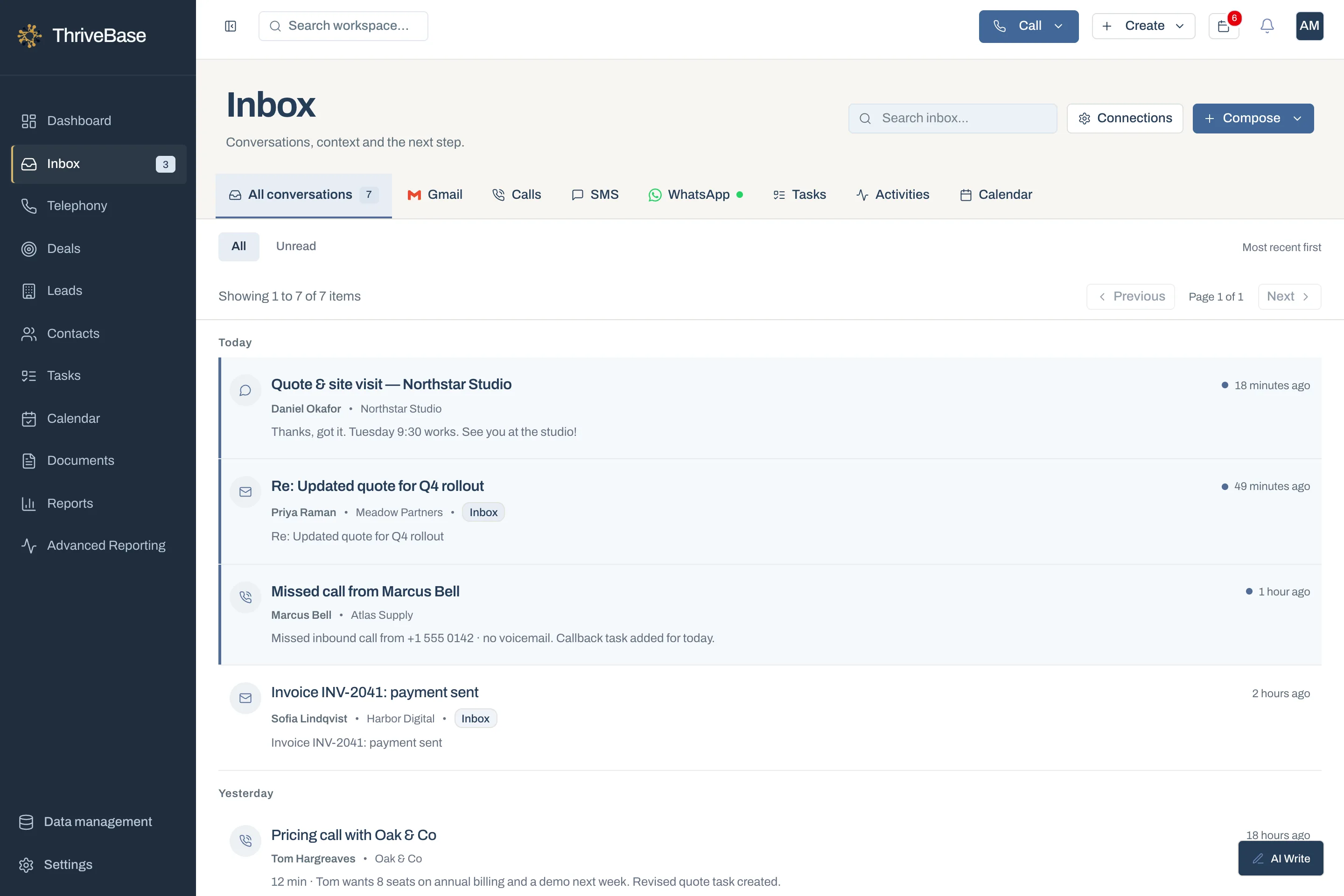
Sales teams lose deals in the gaps between WhatsApp, the inbox, the phone and a spreadsheet. ThriveBase closes those gaps.
- 01
One workspace, one bill
CRM, shared inbox, calling, scheduling, documents and AI, instead of a tool for each.
- 02
Every conversation becomes pipeline
WhatsApp chats, emails and calls attach to the customer and turn into deals and tasks.
- 03
Capacity without headcount
Optional AI agents answer calls and work lead lists, and AI drafts follow-ups you edit, so the team you have does more.
- 04
Control as you scale
An owner for every lead, role-based access and reports by rep.
How a lead moves
From first message
to signed deal.
No copy-pasting between apps. Each step picks up where the last one left off.
- 1
A message comes in
A prospect asks for a quote on WhatsApp. It lands in the shared inbox, already linked to their record.
- 2
Someone owns it
The lead is assigned and a follow-up task is set for today. Nobody has to remember.
- 3
You call from the browser
One click to dial. Notes and the outcome save to the contact while you talk.
- 4
The deal moves forward
Send the quote, collect the signature and move the stage. The pipeline shows where it stands.
The product
Built where your
customers already are.
On WhatsApp, on the phone and on the move. One CRM underneath all three.
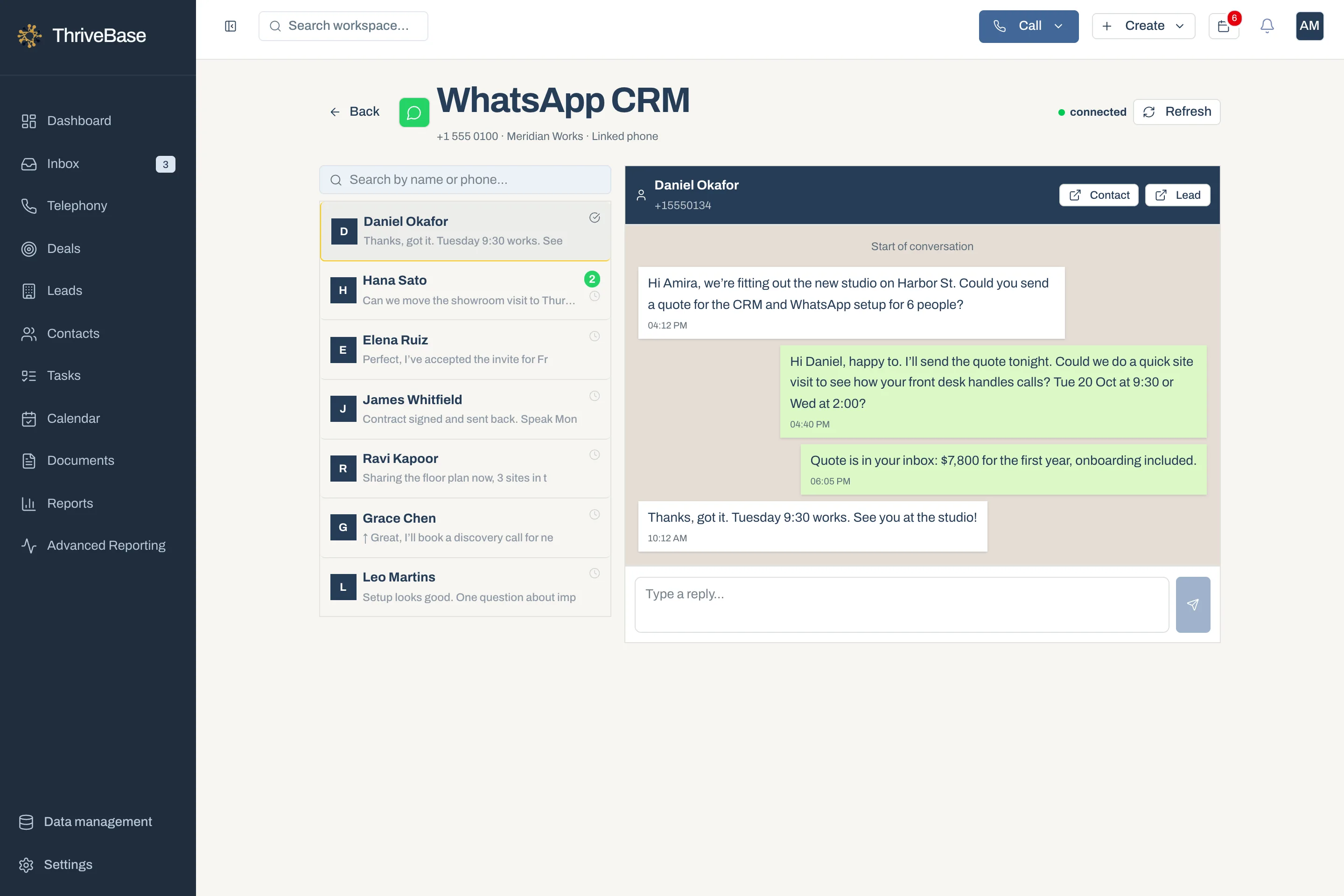
Sell on WhatsApp as a team.
Link your existing number, share one inbox and turn chats into deals.
Explore WhatsApp-First CRM →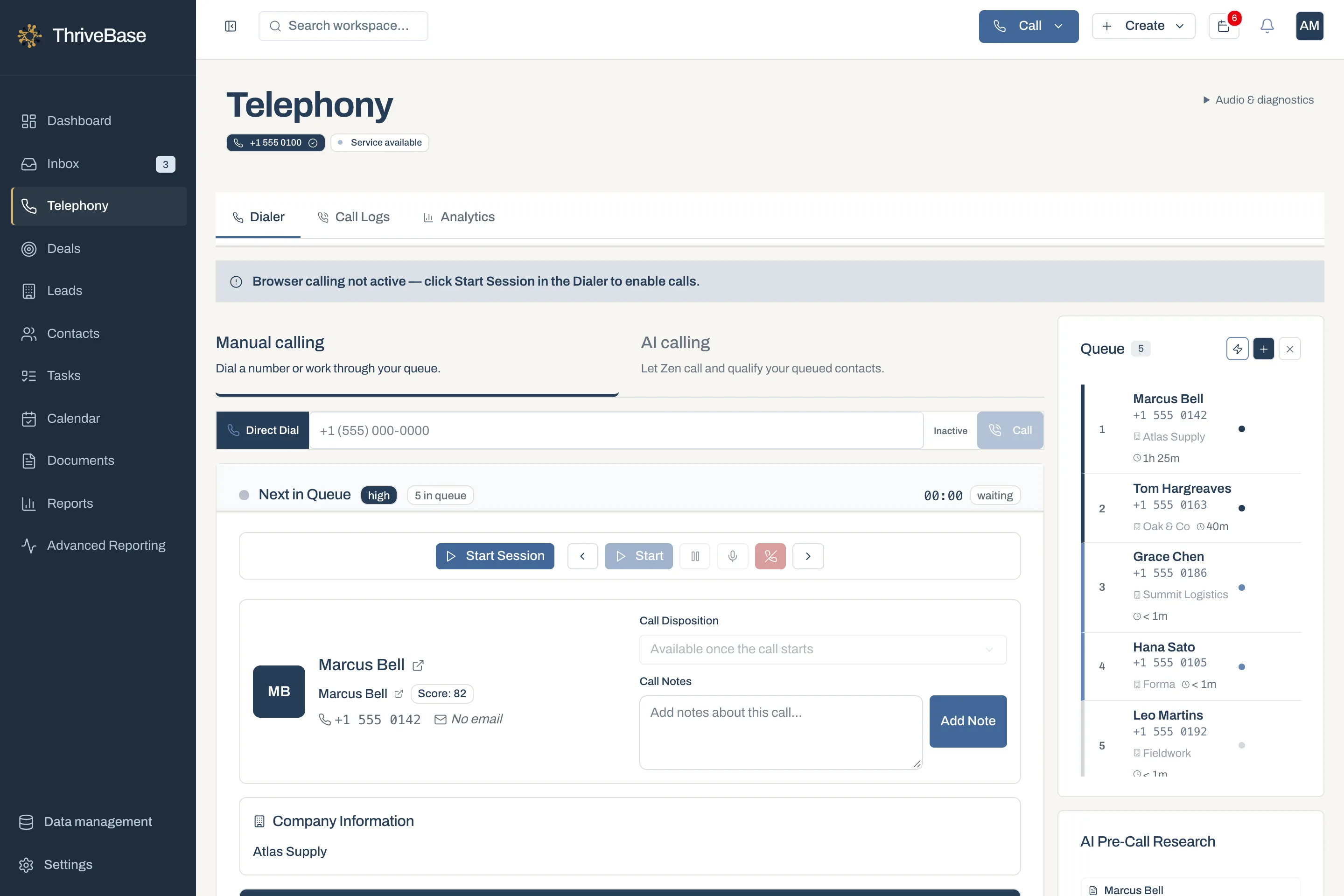
Calls answered. Lists worked.
Ryea answers calls. Zen works your list. AI drafts follow-ups you edit. Agents are optional add-ons.
Explore AI-Native CRM →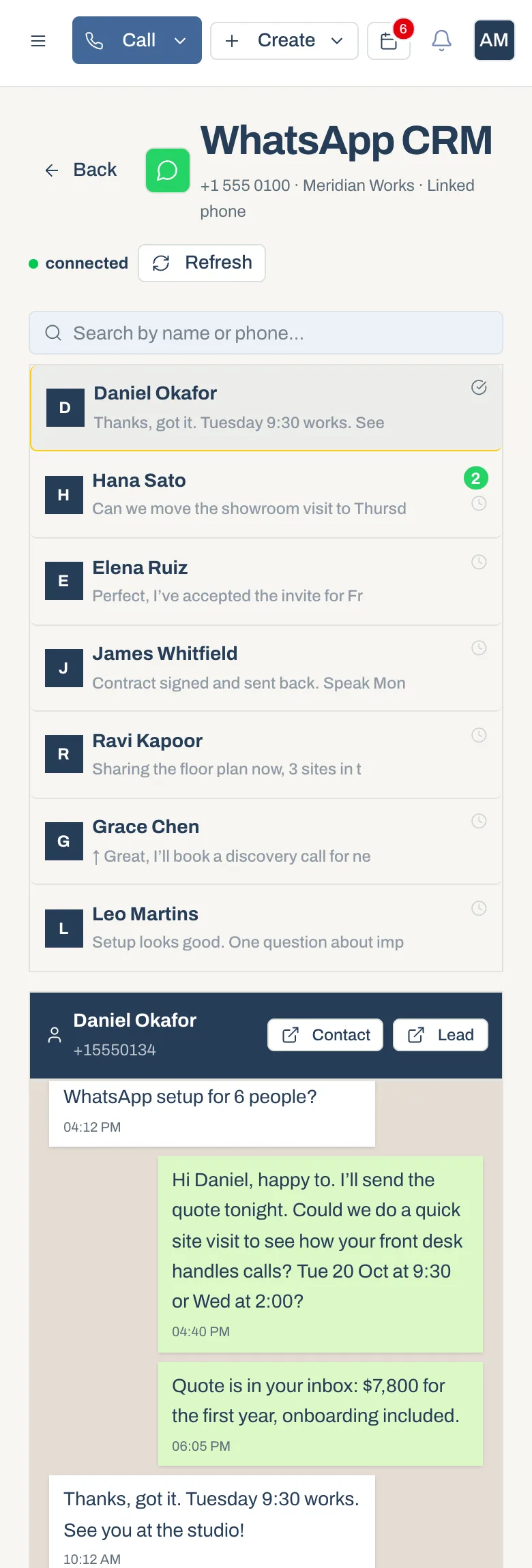
Take the pipeline with you.
Customer history, inbox and tasks, ready between meetings.
Explore Mobile CRM →Book meetings
Google Calendar sync keeps demos and site visits next to the customer.
Get quotes signed
Send proposals and collect e-signatures without leaving the deal.
Automate follow-ups
Create tasks and send updates when a deal changes stage.
Coach from facts
Calls, conversations and pipeline value, broken down by rep.
Compare
More in the box.
A fraction of the price.
What a 10-person sales team pays in year one, on each platform’s plan with workflow automation, at list price.
| Per seat, per month | ThriveBaseGrowth | HubSpotSales Pro | CloseGrowth | PipedriveGrowth |
|---|---|---|---|---|
| Billed monthly | $49 | $100 | $109 | $49 |
| Billed annually | $29.40 | $90 | $99 | $39 |
| Onboarding fee | None | $1,500 | None | None |
- Shared inbox with WhatsApp
- Browser calling
- Pipeline and tasks
- Workflow automation
- Monthly AI credits
List prices from each vendor’s public pricing page, checked October 2026. Year-one totals use annual billing for 10 seats and include required onboarding fees. Calling and SMS usage are excluded for every vendor. Features differ by vendor, so compare the plan your team needs.
Who it’s for
Built for teams that
sell by message.
For teams of 2 to 100 who sell by phone, WhatsApp and email, and have outgrown spreadsheets and starter CRMs.
Owners and leadership
Know what’s closing this quarter.
Pipeline, team activity and revenue in one view, without asking anyone for an update.
Sales managers
Run the team from one screen.
Assign leads, set follow-up rules, control access and coach from real activity.
Sales reps
Spend the day selling.
One list each morning: who to call, what they said last time and what to send next.
Getting started
Three steps.
No IT project.
Keep your customer list. Keep your WhatsApp number. Bring your team in when you’re ready.
- 01
Import your list
Upload a CSV or Excel file. Match columns, preview records and skip duplicates before anything saves.
- 02
Connect WhatsApp and Gmail
Scan a QR code from your phone and sign in with Google. Conversations start flowing in.
- 03
Invite your team
Add teammates, choose who sees what and get a business number for calling.
It replaces the tools around your CRM too: a shared inbox with WhatsApp, browser calling, scheduling, documents and optional AI agents, all on the same customer record.
Yes. Open Linked Devices in WhatsApp on your phone and scan the QR code in ThriveBase. Your chats appear in the inbox next to the right contact.
Optional AI agents. Ryea answers inbound calls and books appointments. Zen calls your lead list and qualifies who’s interested. Every call and outcome is saved to the CRM.
Yes. Upload a CSV or Excel file, match the columns and choose how duplicates are handled before anything is saved.
Yes. Admins and managers see everything. Reps can be limited to the records they created or are assigned to.
Gmail, with Google sign-in. Other providers aren’t supported yet.
Ready when you are
Bring the team together. Start this week.
Move your calls, chats and pipeline over, and give your team one clear list every morning.